Final Pack
- Insert the plastic handle into the slots on the front of the box.
- Use a microfiber cloth to wipe down the screens of all the devices to remove fingerprints.
- Place the bottom tray of foam in the box. Make sure that the handle cutouts are facing the front of the box.
- Place the Weight Scale in the foam cutout.
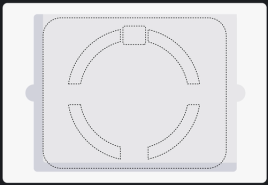
- Place the top tray of foam in the box.
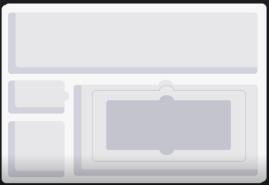
- Place the peripherals in the box, as shown in the following pictures.
- Place the OX on the small cutout on the middle left side.
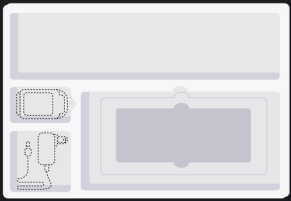
- Place the BP in the large cutout on the top. Leave the cuff connected, and coil the cuff tubing neatly underneath the cuff.
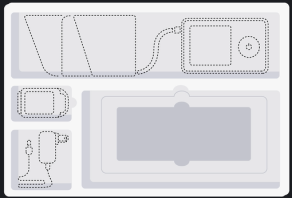
- Place the stand, unfolded, in the smaller cutout in the bottom right.
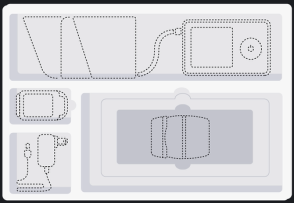
- Place the tablet in the bottom cutout.
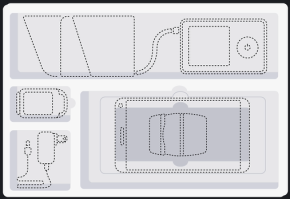
- Place the piece of 1/2” foam on top of the tablet and devices. Make sure the handle cutouts are facing towards the front of the box.
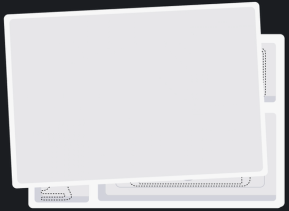
- Place the Health Kit User Guide, Vivify return shipping tape strip, and any customer-specific documentation specified in the order, on top of the flat foam.
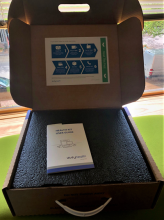
- Close the box. Place a Vivify Kit number label on the box, centered above the handle.
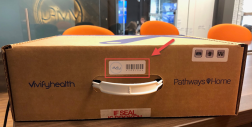
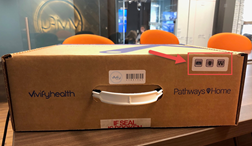
- Place the device sticker in the upper-right corner of the box to identify the devices included. Place the cuff sticker on the box to identify the size of the blood pressure cuff included.
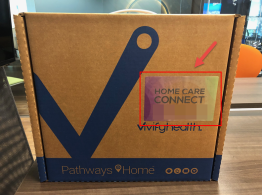
- Place the customer-specific label centered on the top of the box. The top of the label should be toward the handle, so the label may be read when the box is carried by the handle. Please see the types of labels in the Box Label Instructions.
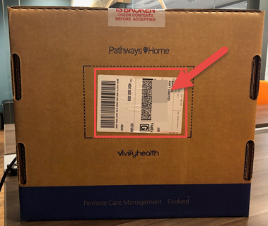
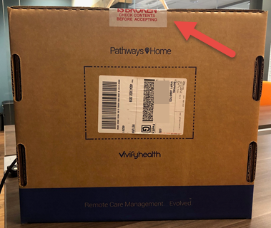
- If the customer is reprocessing the kit, place the return label on the back of the kit box.
- The kit is completed. Seal the kit box.
 Yes
Yes  No
No